Native automotive playback
Runs as a native Android Automotive media app and appears as an audio source in the vehicle.
 GeeDrive
 brings your personal Plex music library to the dashboard with a focused interface, profile switching, loudness-aware playback, resilient queue restoration, and intelligent transitions.
In active development · Google Play release planned
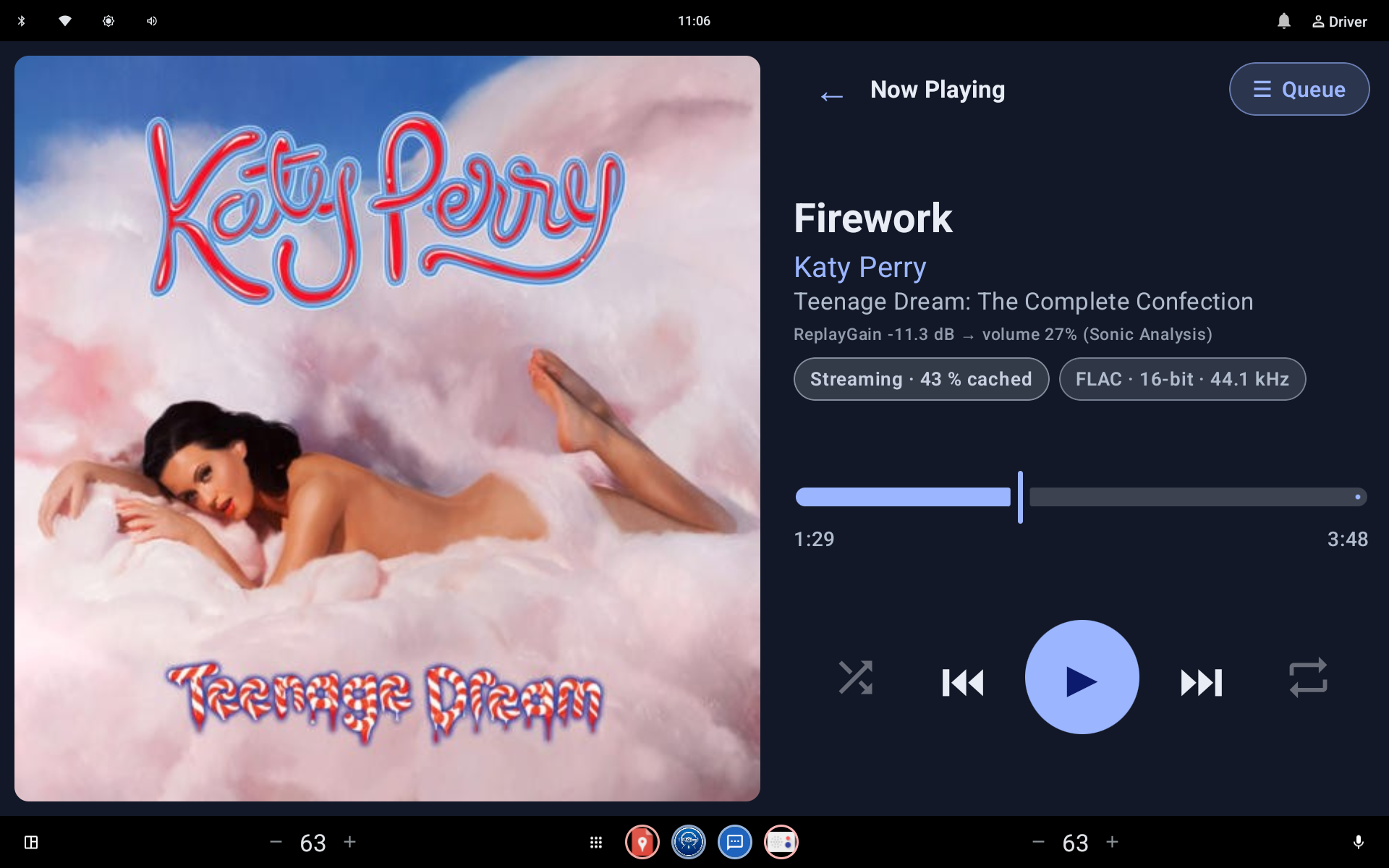 Your real Now Playing screenshot goes here
Replace the matching file in assets/screenshots
DRIVING-FIRST BY DESIGN
GeeDrive combines direct Plex access with a native automotive playback service. Every major interaction is designed around clarity, continuity, and fewer distractions.
Made to feel at home on your vehicle's screen.
Runs as a native Android Automotive media app and appears as an audio source in the vehicle.
The vehicle's own mini-player shows the current track, ready to play.
Large controls, clear typography, and a simple Library, Playlists and Settings layout.
Layouts adapt to wide vehicle displays, phones, tablets and foldables.
Everything comes from your own Plex Media Server.
Enter a short code at plex.tv/link on your phone or computer. No passwords to type on the dashboard.
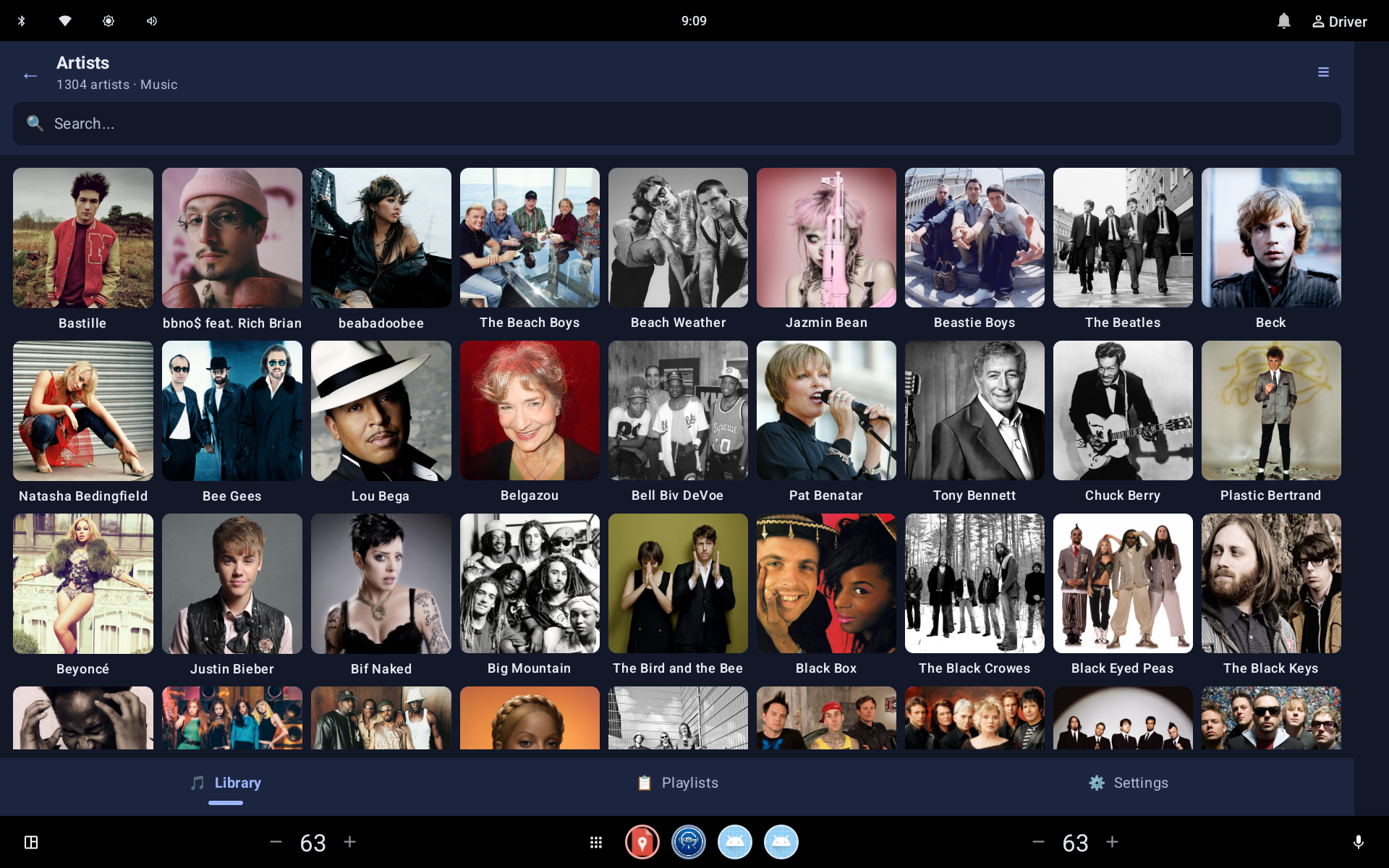
Artists, albums, tracks and playlists in a clear artwork grid.
Find music from the search bar.
Artists whose albums aren't linked in Plex, such as compilation or featured artists, still show all of their tracks.
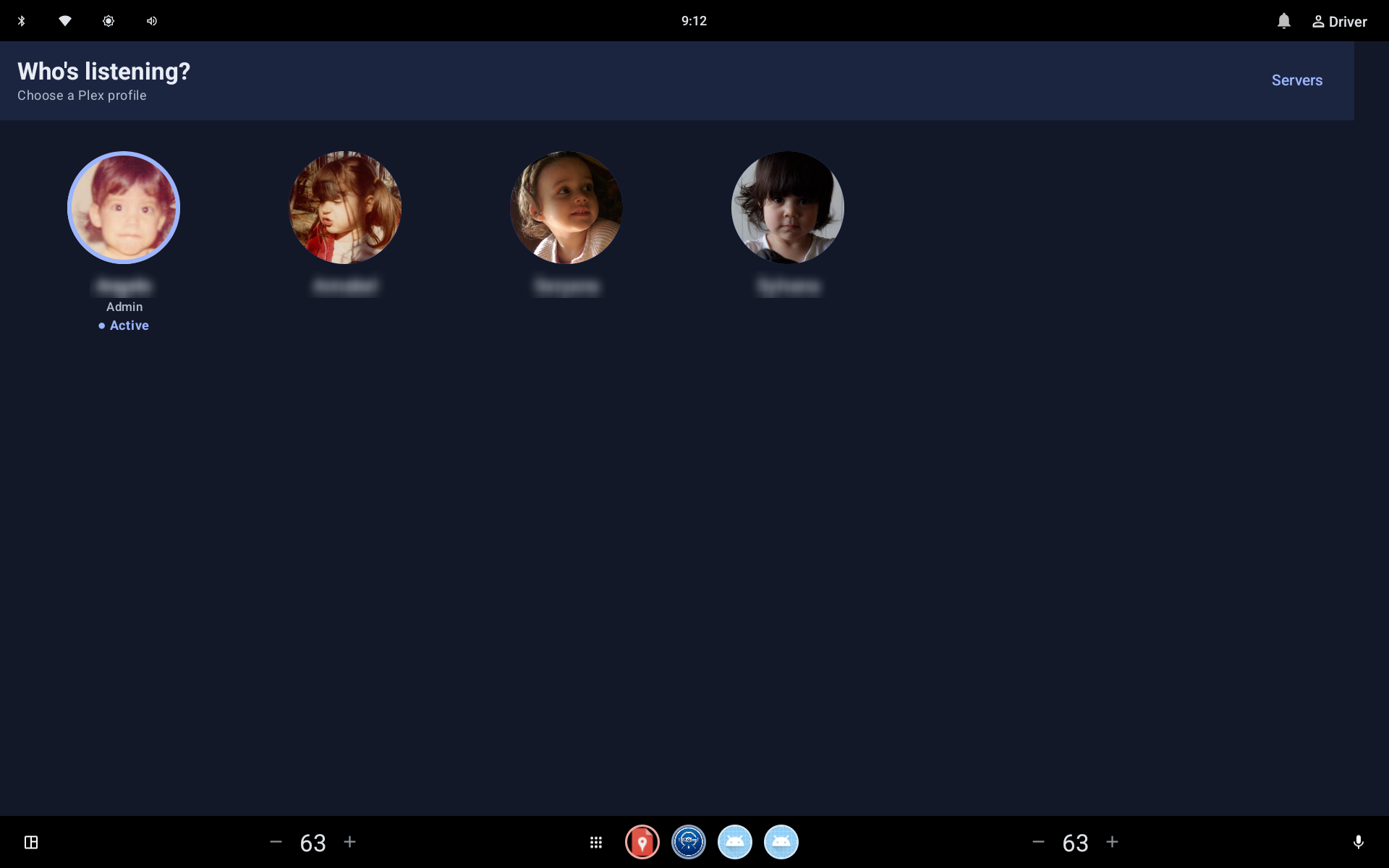
Pick who's listening from the profile screen. The library follows the selected profile.
Playback status and play counts are reported to Plex, so your listening appears in Plex as usual.
Built to keep the music going.
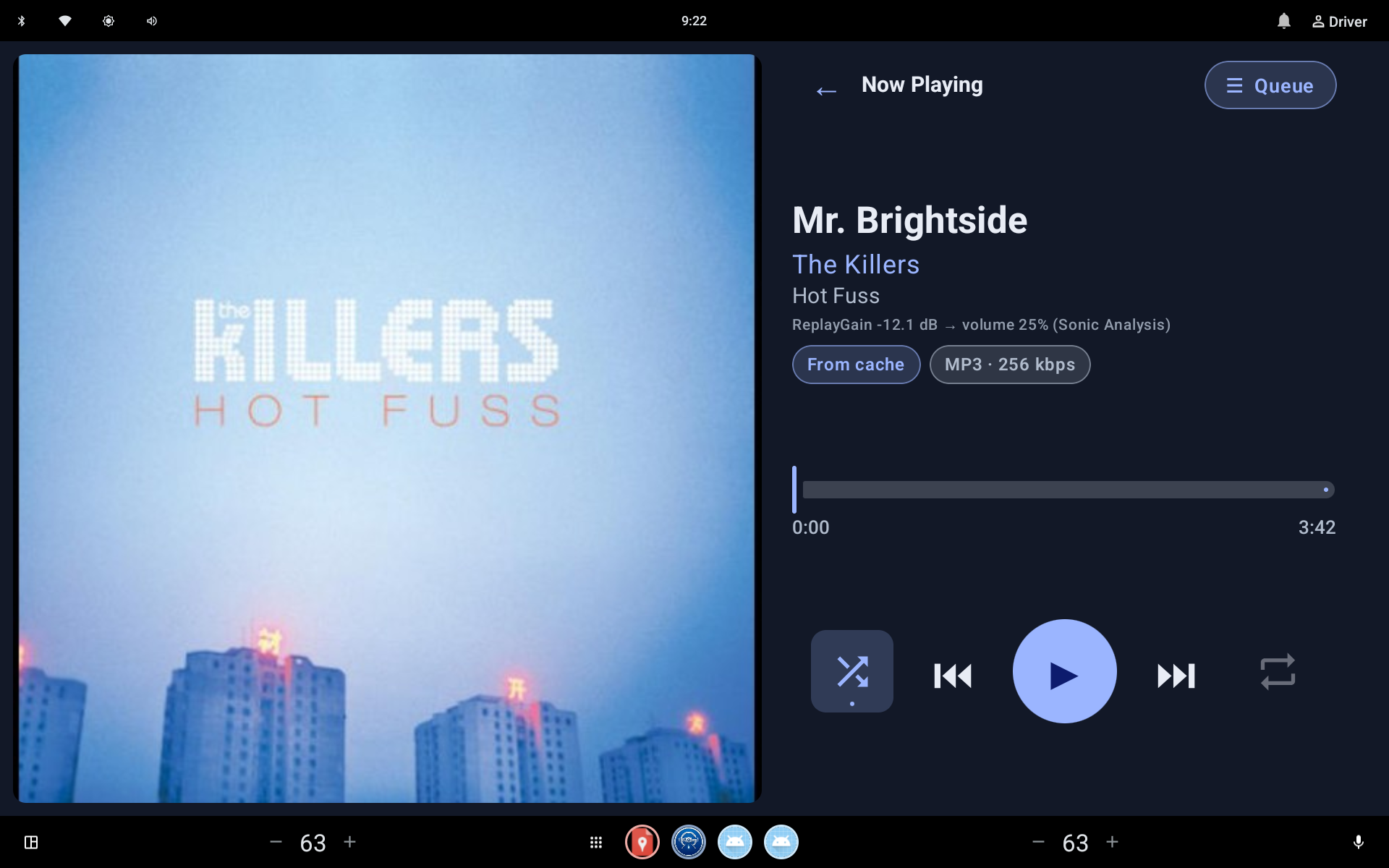
Open the queue any time, shuffle from a random starting track, and repeat when you want.
Your queue, current track and position are saved and restored without reloading from the server.
A stall watchdog and player error recovery help playback keep going after a hiccup.
Consistent volume and smoother song changes.
Evens out volume using embedded ReplayGain tags or Plex Sonic Analysis, which takes priority when both are available. Choose Track or Album mode.
Now Playing shows the gain being applied and the resulting volume.
Detects natural fade-outs and starts the next track at its first audible moment, skipping silent intros. Abrupt endings always play to completion. Requires Plex Sonic Analysis.
Adjust the silence threshold and overlap settings to suit your music.
Know what's playing, and how.
Streamed audio is cached on the device for smoother playback and fewer interruptions.
Now Playing shows whether a track is streaming, with its cache progress, or playing from cache.
See the format and quality of the current track, such as FLAC 16-bit 44.1 kHz or MP3 256 kbps.
An optional setting, on by default, avoids playing converted streams live so a slow or unreliable connection is less likely to interrupt a track.
Your music and your data stay yours.
No ads, analytics or crash-reporting services, and no GeeDrive server. Your data stays on your device.
Sign out to clear your Plex credentials and server settings. Uninstalling removes all local data.
NOW PLAYING
Prominent artwork, clear track details, direct transport controls, queue access, shuffle and repeat. The final website will use an exact capture from GeeDrive, not a fabricated interface.
REAL APP. REAL SCREENS.
Each placeholder has a final filename and recommended composition. Add the real captures later without redesigning the page.
Now Playing
now-playing.webp
 Library browsing
library.webp
 Profile switching
profiles.webp
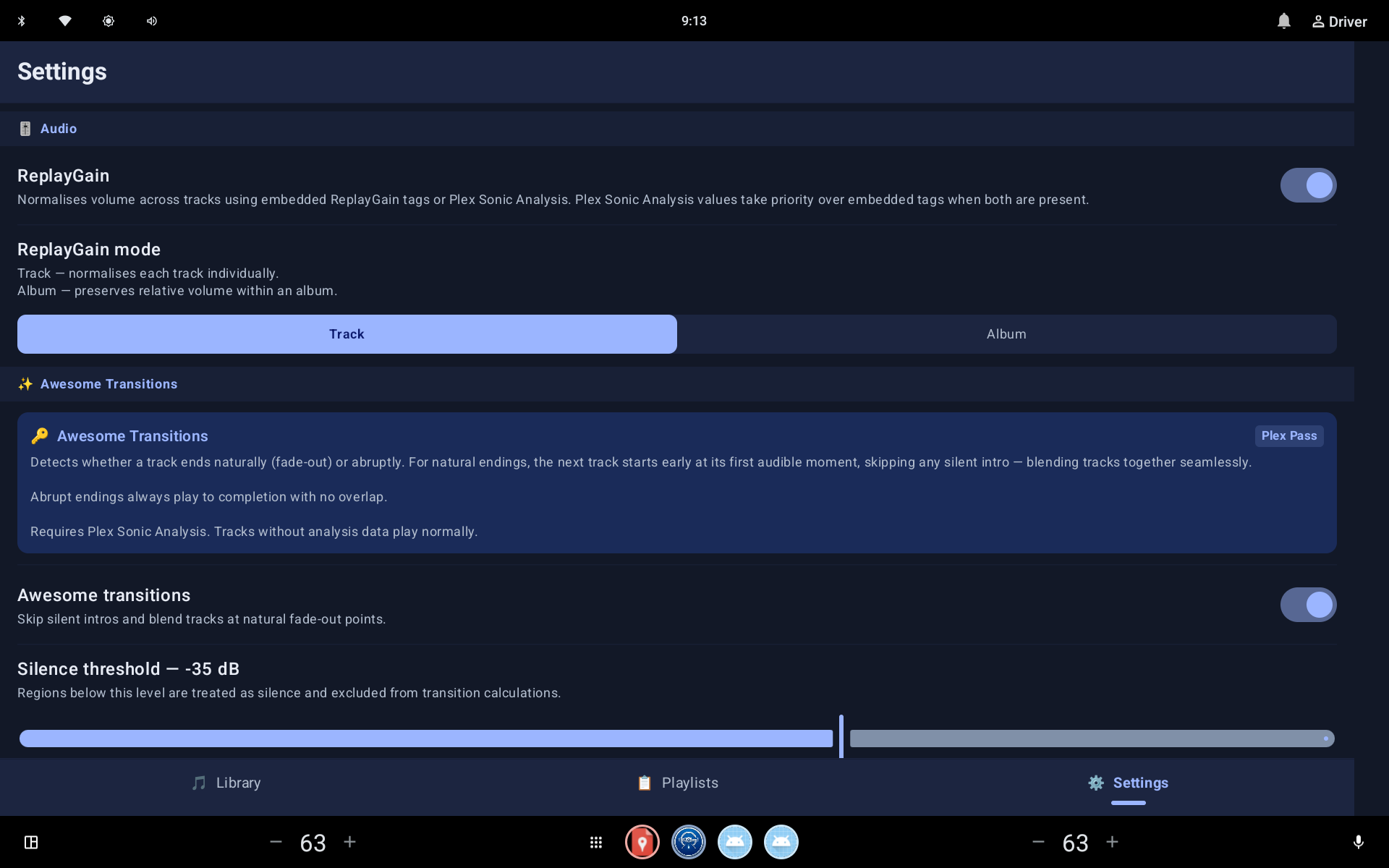 Playback settings
playback-settings.webp
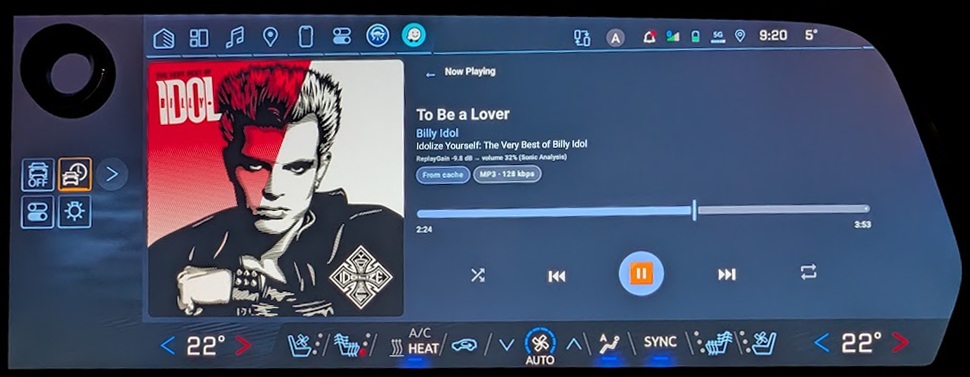 In the vehicle
blazer-ev.webp
ALSO ON ANDROID
GeeDrive isn't only for the car. It also runs on Android phones and tablets, so your Plex library comes with you wherever you listen.
Tablet: Now Playing
tablet-now-playing.webp
Phone: Now Playing
phone-now-playing.webp
Phone: Library
phone-library.webp
Phone: Notification
phone-notification.webp
UNDER THE HOOD
Vehicle connectivity changes. Servers restart. Apps resume. GeeDrive is engineered to recover playback cleanly and preserve the listening context instead of treating every interruption as a fresh session.
WHAT'S NEXT
The website distinguishes working functionality from planned work so visitors always know what is available.
FAQ
GeeDrive is built for Android Automotive OS and also runs on Android phones and tablets. Public compatibility lists will be added after release testing.
No. GeeDrive connects to a user's own Plex music library and requires access to a Plex Media Server.
Awesome Transitions requires Plex Sonic Analysis, which is a Plex Pass feature. ReplayGain also works with the tags embedded in your music files.
No. GeeDrive is an independent application and is not endorsed by, sponsored by, or affiliated with Plex, Inc.
GeeDrive is in active development. Download information will be published here when a release is available.
THE ROAD AHEAD
Follow GeeDrive's progress as it moves toward release.